
Cat Life Simulator
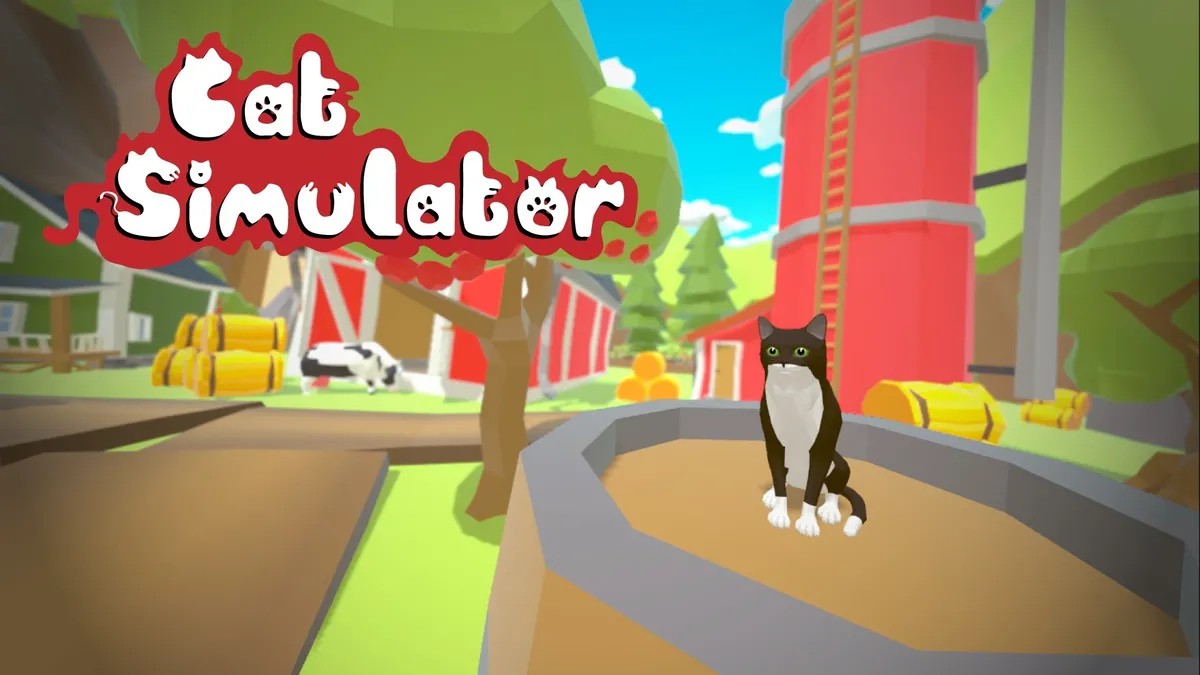
Play Cat Life Simulator, a cat simulator online. Care, customize, and explore in a free WebGL sandbox simulation. Works on mobile and PC.
Introduction to Cat Life Simulator
Welcome to a cozy corner of the web where whiskers rule, yarn is treasure, and naps are a winning strategy. This is a charming browser cat game built for quick sessions and long, lazy play. You can play free cat game sessions right in your browser—no downloads, no fuss—just instant paws-on fun in a polished virtual pet game that feels both modern and familiar.
Cat Life Simulator blends lighthearted role-play with smart systems, so every decision matters. You’ll pet, feed, and train, then explore new rooms, toys, and challenges. Because Cat Life Simulator is intuitive, newcomers can dive in fast, while veterans still find depth and discovery around every corner. Fancy a stress-free afternoon? Or a focused grind toward rare rewards? Cat Life Simulator happily does both.
Getting Started
Setup & Launch
Open your favorite modern browser, make sure hardware acceleration is on, and load the game page. That’s it. The core loop runs smoothly on desktops, laptops, and mobile, because Cat Life Simulator is optimized for cat simulator online play. It’s perfect when you want to click in, relax, and unwind after a long day.
Basic Rules & Mechanics
Your cat has a few simple needs—hunger, hygiene, energy, and happiness. Keep them balanced to thrive. You’ll clean, cuddle, and snack your way through delightful feline care gameplay, earning in-game coins as you go. Daily quests refresh with small goals, and a steady routine unlocks bigger rewards over time in this cozy pet raising simulator.
Mini-games give you fast gains, while care actions build stability. The loop stays satisfying because Cat Life Simulator ties each action to progress, whether you’re collecting new toys, learning tricks, or preparing for your next room renovation.
How to Play Cat Life Simulator
Start by choosing a starter cat and exploring the tutorial space. Try a few actions—feed, brush, and play—to see how they affect stats. As you level up, you’ll open new areas, mini-games, and unlockable breeds. You can also preview cosmetic upgrades and begin light cat customization to give your furry friend a personal flair.
Touch Controls (Mobile)
Swipe to look around, tap to interact, and long-press for context menus. A quick double-tap snaps the camera to your cat. Pinch to zoom in for those adorable close-ups. On mobile, Cat Life Simulator keeps UI icons large and readable so you can care, train, and decorate in a comfy, one-hand flow.
Objectives & Win Conditions
There isn’t a single “You win!” screen; instead, you chase milestones. Hit happiness and cleanliness targets, complete streaks of daily quests, and master mini-games for premium rewards. Collect new rooms, earn outfits, and expand your family with unlockable breeds. Cat Life Simulator celebrates progress with badges, levels, and seasonal prizes that keep your routine fresh.
Game Modes
Play at your pace in Casual, where timers are gentle and rewards are steady. Want a challenge? Time Trial mini-games test your accuracy and speed for bonus in-game coins. Prefer to experiment? Try Sandbox to mix toys, items, and décor freely. Cat Life Simulator makes it easy to swap modes whenever your mood changes.
Beginner’s Guide: How to Start Playing Cat Life Simulator
Focus on the basics: feed regularly, keep hygiene up, and get a few early mini-game wins. Stabilize your routine first, then browse the shop tabs. Cat Life Simulator rewards consistency, so lock in your daily rhythm and you’ll watch your progress snowball in no time.
Pro Tips: Level Up Your Cat Faster and Smarter
Chain care actions that complement each other, like brushing before play, then napping. Save boosters for mini-games with high payout windows. Track which actions give the most XP per minute in Cat Life Simulator and build a repeatable loop to stay ahead.
Resource Farming: Earn Coins, Food, and Toys Efficiently
Target mini-games with multipliers, clear your checklist, and claim time-limited bonuses. Convert surplus toys to in-game coins if your inventory caps. In Cat Life Simulator, efficient farming means batching tasks, then spending resources on gear that improves your next run.
Customization Guide: Skins, Accessories, and Cat Breeds
Explore outfits, colorways, and room themes that match your vibe. Cosmetic choices are flexible, so try before you buy when possible. Cat customization shines in Cat Life Simulator, letting you pair style with function as you prep your cat for photos, contests, and cozy hangouts.
Controls Explained: Keyboard Shortcuts and Touch Gestures
On desktop, WASD or arrow keys move the camera; E interacts; Space confirms; and Shift toggles a quick sprint where allowed. Use 1–4 for fast item slots. Mobile keeps taps and swipes clean for couch play. Cat Life Simulator supports both styles without awkward menus getting in your way.
Daily Tasks & Quests: What to Do Every Session
Log in, collect your streak bonus, clear the rotating dailies, and run a quick mini-game loop. Check the shop for discounts, then tidy your room. Cat Life Simulator turns small rituals into steady progress so even five minutes feels worthwhile.
Unlocking Rare Cats: Requirements and Best Routes
Watch requirement lists closely: some need a streak, others a specific mini-game rank. Plan your week around those milestones. In Cat Life Simulator, pairing targeted goals with bonus weekends is the fastest path to limited skins and rare companions.
Training & Behavior: Raise a Well-Behaved Feline
Short, consistent sessions beat long marathons. Reward good timing, redirect mischief, and keep sessions playful. As your skills rise in Cat Life Simulator, you’ll notice better responses, smoother routines, and a happier home base that’s ready for anything.
Quick note before you wander off: if you love a relaxing cat simulator online experience, this is your cozy spot. It’s a virtual pet game that respects your time, a pet raising simulator with satisfying loops, and a playful space for cat customization. With daily quests, unlockable breeds, and plenty of in-game coins to earn, Cat Life Simulator makes every session feel like a small win.
Solo vs. Multiplayer
Cat Life Simulator focuses on thoughtful solo play with light social touches, so your progress feels cozy yet connected. Compete on asynchronous leaderboards, peek at ghost runs, and share screenshots of your cutest builds. There’s no pressure voice chat or PvP here; you set the pace and define your goals inside Cat Life Simulator, then compare outcomes with friends when you’re ready.
Cat Life Simulator Features
Under the hood, this is a sleek WebGL game designed for instant play in modern browsers, with fast loading and low overhead. The simulation layers include mood, needs, and territory systems, all intertwined with a flexible upgrade system that rewards creative play. It’s a cheerful casual animal game at heart, but Cat Life Simulator adds depth through meaningful choices, cozy customization, and delightful animations that keep every session fresh.
Heroes & Skills
Your feline isn’t just a skin; it’s a bundle of personality traits and learnable abilities that evolve over time. Traits influence appetite, grooming speed, and social charm, while skills like Pounce, Soothing Purr, or Laser Focus unlock situational advantages. Mix abilities that fit your favorite routine, whether you’re a fast-foraging explorer or a homebody decor artist in Cat Life Simulator.
Items & Boosts
Toys, grooming tools, treats, and furniture all play together to shape your day-to-day rhythm. Temporary boosts stack with permanent perks, letting you fine-tune stamina, luck, and XP gain. The best part is synergy: a scratch post that restores focus pairs well with a treat that boosts energy, turning short sessions into satisfying progress in Cat Life Simulator without grindy frustration.
Levels & Progression
Progress flows from playstyle, not chores. Earn XP by exploring, socializing, napping efficiently, or mastering mini-games. Unlock new rooms, themed neighborhoods, and premium toys as milestones, then loop back to chase faster routes with a refined upgrade system. Whether you play in quick bursts or longer stretches, Cat Life Simulator keeps the rewards meaningful and your routine pleasantly flexible.
Achievements & Badges
There’s always something cheeky to chase with achievements and badges that celebrate both skill and silliness. Clear milestones like Zero-Hairball Week or Perfect Pounce Series, and pin your favorite badges to your profile. These objectives nudge you to try new routines and clever combos, adding layers of long-term goals to Cat Life Simulator without forcing a single meta.
Options & Accessibility
Play your way with remappable keyboard controls, responsive mobile touch controls, scalable UI, and audio sliders. Motion reduction, font size options, and color contrast tweaks keep things comfortable for long sessions. Everything is surfaced in straightforward menus so you can settle into Cat Life Simulator quickly, then tweak details later for deeper comfort as your routine evolves.
Cat Life Simulator Fullscreen Mode
Press the Fullscreen button under the game window to immerse yourself in a distraction-free view. Fullscreen improves focus, sharpens the HUD, and reduces accidental clicks outside the canvas. If you switch devices often, your layout and preferences carry over, so every return to Cat Life Simulator feels smooth and familiar from the first second.
Feeding, Grooming, and Happiness Bars: Keep Stats Green
Your cat thrives when the three pillars—feeding, grooming, and happiness—stay balanced. Efficient players set micro-goals: quick snack before a long play session, brush after exploration, and a short nap when happiness dips. These tiny optimizations boost long-term gains in Cat Life Simulator by reducing downtime and preventing costly stat crashes that stall your momentum.
Mini-Games & Side Activities: Fun Ways to Grind Rewards
Laser chases, fishing puzzles, feather timing challenges—side activities add spice and steady income. They’re perfect for fast sessions and a great place to test tips and strategies before committing to a full build. Mini-games scale in difficulty with practice, so your skill curve grows alongside your inventory in Cat Life Simulator, rewarding precision and clever timing.
Best Builds: Items, Perks, and Boosts That Synergize
Builds shine when you align items with behavior loops. For example, a Treat Boost plus Focus Furniture turns short bursts into high-yield runs, while a Grooming Kit plus Calm Collar supports marathon sessions. Stack perks that amplify your primary loop, then add one wildcard for flexible responses in Cat Life Simulator when events or mood swings shake up your routine.
Want a comfy start? Try Energy Snack, Scratch Post, and Quick Catnap perks. Prefer speed? Pair Sprinty Toys with Precision Pounce and a tidy grooming buff. The right trio stabilizes your stats, frees attention for exploration, and compounds gains across a week of play in Cat Life Simulator, all without feeling locked into a single meta.
Habitat & Home Upgrades: Decor That Affects Gameplay
Furniture isn’t just cosmetic—placement affects pathing, rest efficiency, and focus restoration. A window perch near a toy box reduces time between play and nap, while a water fountain beside the food bowl tightens your refuel loop. Thoughtful layouts create invisible time savings that stack into major rewards inside Cat Life Simulator as your space evolves.
Events & Challenges: Limited-Time Rewards to Chase
Weekly challenges and seasonal events spotlight niche skills and themed items. They’re designed for quick participation and fair payouts, which keeps the calendar exciting. Because it’s a browser-first experience, you’ll often see events surfaced on popular unblocked games hubs, making it easy to jump in and claim themed goodies that carry forward in Cat Life Simulator.
Accessibility Settings: Colorblind & Low-Motion Options
Excellent visibility matters. Toggle colorblind palettes for bars and item rarities, choose high-contrast icons, and minimize flashing overlays with low-motion mode. These settings reduce eye strain and help with precise timing in mini-games. Dial in the exact look that keeps you comfortable so you can enjoy Cat Life Simulator for longer, happier sessions every day.
Performance Tweaks: Smooth FPS in Your Browser
For silky play, switch to fullscreen, lock your browser to a high-performance profile, and close extra tabs. If your laptop throttles, flip on battery saver settings and reduce shadow detail. These small tweaks keep FPS stable in this WebGL game, safeguarding timing windows and inputs so Cat Life Simulator feels crisp even on modest hardware.
Save Data & Cloud Sync: Don’t Lose Your Progress
Your runs, layouts, and cosmetics sync safely with a save progress cloud system, so switching devices is seamless. Enable online sync, keep a local backup for travel, and verify the account link once per device. It’s simple, secure, and designed to protect your time investment across every session you put into Cat Life Simulator.
If you love experimenting, cloud slots let you branch into new builds without overwriting your favorite routine. Jump between sandboxes to compare earnings, routes, and decor plans. It’s perfect for a relaxed sandbox simulation approach, letting you try fresh ideas in Cat Life Simulator while your main profile stays perfectly intact.
Extra notes for power users: controller overlays are optional, but tight keyboard controls keep timing mini-games snappy on desktop. On mobile, gestures are tuned for readability and quick access, so mobile touch controls feel natural during short bursts. However you like to play, Cat Life Simulator adjusts smoothly while your preferences and layouts carry forward through the upgrade system.
Common Issues & Fixes
Things acting a little finicky? Don’t worry—small hiccups happen in any browser cat game. Here’s a quick, practical checklist to get you purring again fast.
- Lag or stutter: Close extra tabs, disable unnecessary extensions, and enable hardware acceleration in your browser settings. This webgl game benefits from a clean canvas and updated graphics drivers.
- Game won’t load: Clear cache/cookies, then reload. If you use privacy-focused extensions, allow scripts for the page. Try another modern browser as a sanity check.
- No sound or music: Click somewhere inside the game window first to focus it, then toggle sound in the options. On mobile, ensure your device isn’t in Silent mode and that the site has audio permissions.
- Controls not responding: On desktop, confirm keyboard focus by clicking the canvas, then test basic keyboard controls like WASD or arrow keys. On mobile, refresh and test mobile touch controls with gestures turned on.
- Progress missing: If the game supports save progress cloud, sign in to your account and confirm cookies aren’t being auto-cleared. Some incognito modes wipe local data when you close the tab.
- Visual glitches: Switch to another resolution or lower effects in the options. If you’ve zoomed the page in your browser, try 100% to fix misaligned UI.
- Fullscreen issues: Exit, then re-enter fullscreen. If the cursor seems offset, set your system scaling to 100% and restart the browser.
Troubleshooting: Fix Lag, Sound, or Loading Errors
Still stuck? Here’s a deeper dive when Cat Life Simulator won’t behave.
- Lag under heavy scenes: Turn off background video on the site (if any), lower in-game shadows, and close apps like screen recorders. WebGL relies on shared GPU resources—free those up for smoother feline care gameplay.
- Slow networks: Switch to a stronger Wi‑Fi band (5 GHz where available) or plug in via Ethernet. Large assets load faster, and you’ll see fewer stalls during busy neighborhoods or sandbox simulation areas.
- Audio delayed or crackling: Set your system output to the default device, then restart the tab. On mobile, disconnect Bluetooth earbuds briefly and reconnect. Many virtual pet game titles see instant relief after a simple audio device reset.
- Mobile load loops: Force-close the browser, clear only site storage for the game page, reopen, and wait on the loading screen without switching apps. On some devices, backgrounding interrupts the initial pipeline.
- Desktop white screen: Update Chrome/Edge/Firefox to the latest stable version. Disable “Use graphics acceleration when available,” restart, then re-enable it to reinitialize the pipeline. Also confirm your ad/tracker blocker isn’t breaking core scripts.
Where can I play Cat Life Simulator unblocked?
If your school or workplace restricts gaming sites, look for platforms categorized as unblocked games that your network already allows. Choose reputable portals that serve the game over HTTPS, provide clear privacy info, and avoid shady redirects. If you’re unsure, ask an administrator to review and whitelist a trusted domain—this is the cleanest, policy-friendly approach. Avoid bypass tools that could violate local rules or put your data at risk.
Tip: Many learning-friendly portals maintain curated pages where you can play free cat game experiences safely, with minimal tracking and no risky installers. Because Cat Life Simulator runs as a webgl game, it should launch right in your browser without extra downloads once the site is permitted.
Unblocked Access: How to Play at School or Work
- Use approved sites: Stick with vetted portals listed by your institution. If you have a list of allowed games, search for Cat Life Simulator there first.
- Request access: Share the exact game URL with IT or a teacher and explain it’s a lightweight browser cat game with educational value in planning and time management.
- Keep it respectful: Only play during permitted breaks and follow local guidelines. Responsible play keeps access available for everyone.
Play Cat Life Simulator on Phones & Tablets
Playing on the go? Modern devices handle the sandbox simulation surprisingly well when you follow a few best practices.
- Browser choice: Use the latest Chrome, Safari, Edge, or Firefox. Old versions may struggle with WebGL initialization.
- Performance mode: Close background apps, enable low power mode off while playing, and keep at least 15% free storage for smoother caching.
- Network: A stable 4G/5G or strong Wi‑Fi helps during first load. After assets cache, performance improves.
- Controls: The interface is tuned for mobile touch controls, so swipe, tap, and pinch responsibly. If you use a mobile keyboard accessory, expect limited keyboard controls support depending on your browser.
Playing on Mobile: iOS & Android Tips
- iOS: Keep Safari updated, disable “Hide IP Address from Trackers” only if it breaks loading (rare), and allow motion/gesture access if prompted.
- Android: In Chrome, toggle “Use hardware acceleration” on by default. If stutter persists, try Chrome Beta or Firefox for a quick comparison.
- Screenshots & sharing: Many players share their cat customization looks on social media. Use the in-game photo UI (if available) for cleaner images.
- Battery care: Bright screens drain fast during longer pet raising simulator sessions. Lower brightness and lock to 60 Hz if your device defaults to higher refresh rates.
Offline Play Availability
Cat Life Simulator streams assets in real time, so fully offline play isn’t guaranteed. Some browsers let you “install” the page as an app-like shortcut. That may cache a portion of the experience, but network access is still recommended for features like daily quests, save progress cloud, and syncing achievements and badges across devices. If you expect to be offline, open the game while connected and let it fully load before your trip—this can reduce hiccups later.
Is Cat Life Simulator Safe?
Safety matters. You play inside your browser—no installers, no executables. That’s already a big plus. For best results, choose a reputable portal that clearly labels ads, uses HTTPS, and explains what data is stored (typically cookies for settings and progress). If you’re playing with younger family members, supervise chat or social features if present, keep device permissions minimal, and stick to official pages. Common sense rules apply: don’t share personal info, and keep your account secure if you use sign-in to sync progress.
Content-wise, Cat Life Simulator focuses on gentle, casual animal game systems like feeding, grooming, and exploring. It’s designed for all ages and stays well within family-friendly boundaries.
Similar Games to Cat Life Simulator
Finished your first generation of furry friends and want more? Try these browser-friendly picks that scratch the same itch in different ways:
- Cozy Kitty Keeper: A relaxed virtual pet game with simple routines, photo ops, and mini-events.
- Meow Town Builder: A light city-lite where you expand a feline village using in-game coins and manage upgrades.
- Wild Paws Adventure: A free-roam sandbox simulation with open zones, collectibles, and environmental puzzles.
- Pet Park Tycoon: Blend pet care with management—balance an upgrade system while keeping guests happy.
- Feline Fashion Studio: Heavy on cat customization, poses, and themed backdrops for screenshots.
- Forest Cubs Online: A small-group co-op spin that rewards teamwork and gentle exploration.
- Whisker Quest: Story-led chapters with daily quests and seasonal surprise gifts.
- Stray Street Stories: Narrative vignettes where choices ripple across short episodes.
Similar Games: What to Play After Mastering Cat Life Simulator
Looking for a challenge curve? Try games that add unlockable breeds with unique perks, and a deeper upgrade system that asks you to plan ahead. If you prefer exploration, search for titles with larger hubs and social photo contests. Want a steady loop? Management sims with achievements and badges and persistent seasons are easy to dip into for 10-minute bursts.
If competitive edges appeal, explore friendly leaderboards based on care streaks or time-trials for collecting. If you crave pure chill, zero-fail sandbox worlds let you decorate, nurture, and vibe at your pace.
Common Issues & Fixes: Progression & Rewards
A few more practical notes around collections and growth loops that often trip up new players:
- Not earning in-game coins: Check mission objectives carefully. Some tasks only pay out after a mini-step like grooming before feeding.
- Daily quests not refreshing: They usually reset by time zone. If you changed regions, log out and back in to sync a new day.
- Missed reward: Many portals have a “claim” button to finalize rewards. If you close early, it may not grant. Reopen the page and check your mailbox tab if available.
Where can I play Cat Life Simulator unblocked? (Quick Reminders)
One more time, the safest path is within your organization’s allowed list. If you encounter a blocked message, screenshot it and kindly request a review. Keep your playtime to breaks, and you’ll help keep the pathway open for everyone who loves a little cat simulator online break between tasks.
Tips: Controls, Comfort, and Small Wins
Mastery doesn’t always mean grinding. It means playing smart. Here are quick tips and strategies geared for smooth sessions and steady progress.
- Controls first: On desktop, learn your keyboard controls for camera and interaction; on mobile, rehearse your gestures so actions feel second nature.
- Small goals: Knock out one or two daily quests per session. You’ll earn steady rewards without burnout.
- Style your play: Rotate between care, exploration, and cosmetics. A change of pace keeps the loop fresh while you chase new looks via cat customization.
- Plan upgrades: Spend in-game coins on core systems that reduce routine time (food, grooming, playtime). A focused upgrade system compounds benefits.
- Try new kitties: If a title offers unlockable breeds, diversify! Different traits can shift your routine and keep things lively.
Unblocked Access: How to Play at School or Work (Recap)
Final word on access: prioritize approved sites, keep play casual, and avoid any method that breaks policy. Good etiquette means more portals will keep family-friendly games open.
Conclusion
Whether you’re nurturing a tiny tabby or showing off a fully styled champion, Cat Life Simulator is a feel-good haven you can open in seconds. Keep your device and browser tidy for fast loads, lean on cloud sync if available to protect progress, and choose trusted portals—especially if you rely on unblocked access during short breaks. When the mood hits for more variety, you’ve got a whole world of cozy alternatives waiting—from gentle management romps to pure chill sandboxes.
Now it’s your turn to curl up with a warm drink, set a bite-sized goal, and let your whiskered routine begin. Meow’s the time.
Cat Life Simulator Gameplay Video
Frequently Asked Questions
What is Cat Life Simulator?
Cat Life Simulator is a cat simulator online and virtual pet game. This browser cat game is a free webgl game with cozy sandbox simulation and feline care gameplay.
How do I play and what’s the goal?
Press Play to play free cat game rounds in your browser. As a pet raising simulator, you’ll feed, groom, explore, complete daily quests, earn in-game coins, and unlock achievements and badges.
Can I customize my cat and unlock breeds?
Yes! Use cat customization to change colors, outfits, and traits. Spend coins on the upgrade system and open unlockable breeds as you progress.
What controls and devices are supported?
Phones/tablets use mobile touch controls; PC uses keyboard controls and mouse. It runs in-browser, making it a smooth casual animal game.
Is it safe, unblocked, and will my progress sync?
It’s family-friendly. Access on unblocked games sites depends on your network. If supported, enable save progress cloud; otherwise data stays on your device—see in-game tips and strategies.